















A Lightning node lets you send and receive Bitcoin payments over payment channels, and it only earns its keep if it stays online. That makes a VPS a natural home for one. This guide sets up LND (Lightning Network Daemon) on Ubuntu or Debian, using a Bitcoin Core node on the same server as the backend.

Pick your Bitcoin backend first
LND does not validate Bitcoin on its own. It needs one of three backends:
- Bitcoin Core on the same VPS. The most private and reliable choice. A pruned node is enough for LND, which keeps the disk small. Our Bitcoin node guide covers the install.
- Neutrino. A light-client mode that needs almost no disk, but it relies on other peers for block filters and is less robust.
- A remote node you trust. Fine if you already run one elsewhere. Never point LND at a node you do not control for a node holding real funds.
For most people, a pruned Bitcoin Core on the same server plus LND is the simplest solid setup. Both programs sit side by side on a 2 to 4 vCPU plan with 4 to 8 GB of RAM. See the sizing on our Lightning node hosting page.
Step 1: prepare the server
Start from a fresh Ubuntu or Debian VPS and follow how to secure a new VPS. Create a normal user for the node and do not run LND as root.
sudo adduser --disabled-password --gecos "" lnd
sudo usermod -aG bitcoin lnd   # lets LND read the bitcoind cookie file
Step 2: let Bitcoin Core talk to LND
LND reads blocks and transactions from Bitcoin Core over ZeroMQ. Add these lines to bitcoin.conf and restart bitcoind:
server=1
prune=20000
zmqpubrawblock=tcp://127.0.0.1:28332
zmqpubrawtx=tcp://127.0.0.1:28333
rpcbind=127.0.0.1
rpcallowip=127.0.0.1
Wait for the Bitcoin node to finish its first sync before you continue. LND will not work against a node that is still catching up.
Step 3: download LND
Get the release for your CPU from the official lightningnetwork/lnd releases page on GitHub. Verify the signature and the checksum file before running anything, as the release notes explain.
cd /tmp
wget https://github.com/lightningnetwork/lnd/releases/download/vVERSION/lnd-linux-amd64-vVERSION.tar.gz
tar xzf lnd-linux-amd64-vVERSION.tar.gz
sudo install -m 0755 lnd-linux-amd64-vVERSION/lnd lnd-linux-amd64-vVERSION/lncli /usr/local/bin/
Replace VERSION with the release you verified.
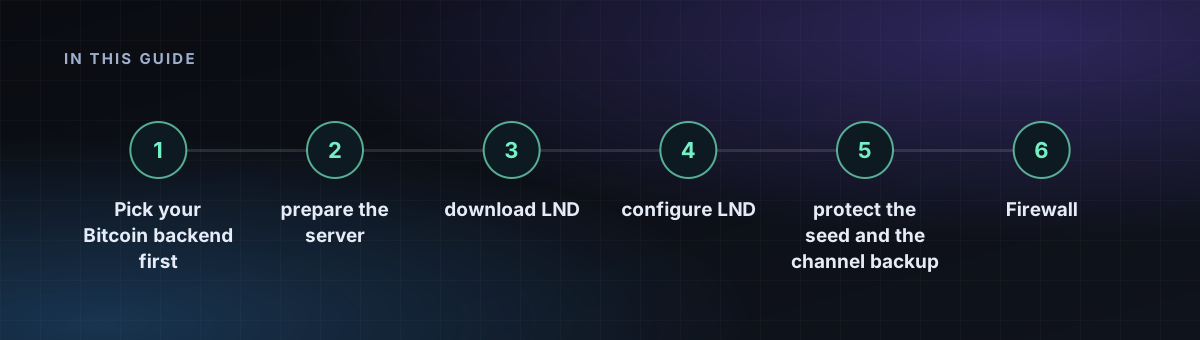
Step 4: configure LND
Create /home/lnd/.lnd/lnd.conf:
[Application Options]
alias=my-node
listen=0.0.0.0:9735
rpclisten=127.0.0.1:10009
restlisten=127.0.0.1:8080
maxpendingchannels=5

[Bitcoin]
bitcoin.active=1
bitcoin.mainnet=1
bitcoin.node=bitcoind

[Bitcoind]
bitcoind.rpchost=127.0.0.1:8332
bitcoind.rpccookie=/home/bitcoin/.bitcoin/.cookie
bitcoind.zmqpubrawblock=tcp://127.0.0.1:28332
bitcoind.zmqpubrawtx=tcp://127.0.0.1:28333
Adjust the cookie path to wherever your Bitcoin user keeps it. The gRPC and REST ports are bound to localhost on purpose.
Step 5: run it as a service
[Unit]
Description=LND
After=bitcoind.service
Requires=bitcoind.service

[Service]
User=lnd
ExecStart=/usr/local/bin/lnd
Restart=on-failure
TimeoutStopSec=300

[Install]
WantedBy=multi-user.target
Save it as /etc/systemd/system/lnd.service, then run sudo systemctl enable --now lnd. Create the wallet once with lncli create.
Step 6: protect the seed and the channel backup
lncli create prints a 24-word seed phrase. Write it on paper and store it offline. The seed restores your on-chain funds only. Channel state is separate, so also keep a copy of channel.backup (in ~/.lnd/data/chain/bitcoin/mainnet/) somewhere off the server and refresh it after each channel change. Never restore an old copy of the full database, because it can trigger a penalty.
Firewall
Open only port 9735 if you want other nodes to connect to you. Keep 10009 and 8080 closed to the internet. Read the hardening guide for the rest of the basics.