















Paying with Bitcoin is simple once you know where the mistakes happen. They are almost always the same few: the wrong amount, a fee that is too low, a typo in the address or sending from an exchange that adds its own delays. Follow this order and the payment goes through the first time.

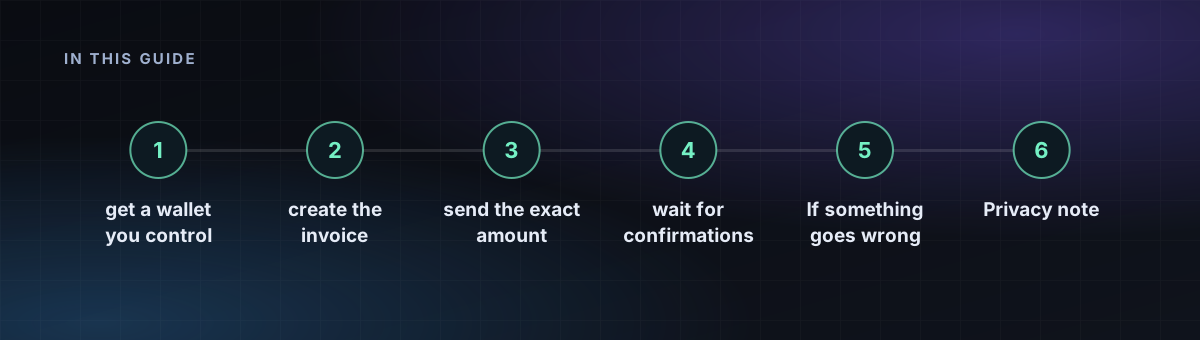
Step 1: get a wallet you control
You can pay from an exchange, but a personal wallet gives you control over the fee and avoids withdrawal limits and holds. Pick a reputable wallet for your phone or computer, write down the recovery phrase on paper and keep it offline.
Step 2: create the invoice
Choose your plan, pick Bitcoin as the payment method and open the invoice. It shows an address, an exact amount and a time limit. Rates are fixed for the invoice window, so send before it expires.
Step 3: send the exact amount
- Scan the QR code or copy the address. Compare the first and last characters after pasting.
- Send the full amount shown, counting from the wallet's side. Some wallets deduct the network fee from the amount, which leaves an underpayment. Use the option to add the fee on top.
- Use one transaction. Splitting a payment into several may not be matched correctly.
Step 4: choose a sensible fee
The network fee depends on current demand, not on how much you send. A low fee can leave the transaction waiting for hours. Use the wallet's medium or high priority setting when you want an automatic provision, and check the current fee level in a block explorer if the wallet offers it. Many wallets support replace-by-fee, which lets you raise the fee on a stuck payment.
Step 5: wait for confirmations
A confirmation means your transaction is in a block. Providers usually activate the service after one to three confirmations, and the invoice page shows the count. A block arrives about every ten minutes on average, so allow time. Keep the transaction ID until the service is active.
If something goes wrong
- Underpaid: send the missing difference to the same address, quoting the invoice if there is a claim form.
- Overpaid: the extra usually goes to your account balance. Check how the provider handles it.
- Expired invoice: contact support with the transaction ID before sending anything else.
- Wrong network or coin: funds sent to an address on a different chain cannot be recovered by the host.
Privacy note
Bitcoin transactions are public and permanent, and an exchange withdrawal links to your identity. If that matters, read crypto privacy basics and consider paying with Monero. To top up a balance and avoid doing this for each order, see how to top up your balance.
Frequently asked questions
How many confirmations are needed to pay for a VPS?
Providers usually activate after 1 to 3 confirmations, which takes roughly 10 to 30 minutes on Bitcoin.
What if I underpay a Bitcoin invoice?
Send the missing difference to the same address and contact support with the transaction ID.
Can I pay a VPS invoice from an exchange?
Yes, but check that the exchange sends the exact amount after its own withdrawal fee and does not batch the payment.